Showing posts with label Photospiralysis. Show all posts

Friday, 28 February 2020

In a Spiral

Had a hearty meal at the newly opened carvery at my local garden centre.
Choice of turkey breast, beef pie or quiche. I chose the latter.
Lots of veg choices. I was a good boy and gave the chips and roast potatoes a miss.
Too high in potassium for me. I chose mashed spuds, green beans, peas, cauliflower and carrots.
Topped with lashings of gravy. Everything was perfectly cooked though just a bit on the cool side.

In the evening I was checking through the apps on my old iPod and deleting some I never use.
I was a bit peeved to find the iOS app HyperDroste I have on my old iPod was no longer downloadable. I had wanted to install it on the iPhone. That app takes any photo and turns it into an animated recursive spiral.
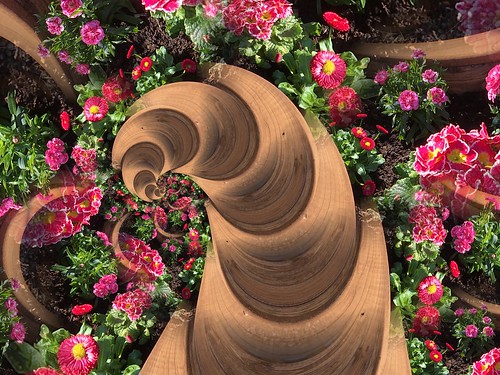
So I downloaded and had a play with the iOS app PhotoSpiralysis last night.
This only makes still spiral pictures.

For example

03CE9A85-DACA-4E37-A0BF-195EB0685184

can be manipulated to become

IMG_0127

or

IMG_0123

could become your worst nightmare

IMG_0125

It reminds me of the giant sand worm creatures from the film Dune.


Wednesday, 3 December 2014

PhotoSpiralysis

I was reading an article about the Droste effect on the DiyPhotography site and decided to have a search for any programs or apps which could create similar effects.  Basically the Droste effect reproduces and repeats a diminishing sized part or all of a picture. On a quick search I couldn't find a stand alone program. There is at least one plug-in for CS5 but there is also an on line facility which can create a similar effect at PhotoSpiralysis which is free to use. That at least is platform independant and works as though it is loaded on your own computer. The only provision is that your computer is running Silverlight. So I just had to have a play to see what I could do with a few of my own photos:


Basically you start by choosing a photo from your computer. That uses your normal file selector. Once loaded it is then a question of experimenting with the choices on the left hand side. Lots of experimentation needed in the choice of photo and the settings. Depending on your choices part of the photo will be covered by a tinted rectangle or circle. These have three dots (for a circle) or five (for a rectangle)  The pink dot marks the point at which the process will be made and the purple ones adjust the size and / or shape of that area. It can be moved around the photo for different effects. Once finished the result is saved to your computer. This can take a while as the finished photo has to be generated and that can be quite a slow process with a large file.


A few experiments from last night:


Watch out - Tuesday Twisters could get more complicated in future!


Related Posts with Thumbnails